Gravo

I brought my laptop with me on a two hour car trip, with the intent of setting up a hotspot and catching up on some work. When we drove out of verizon’s reach, that became impossible. so Gravo happened instead.
orbitmono_1

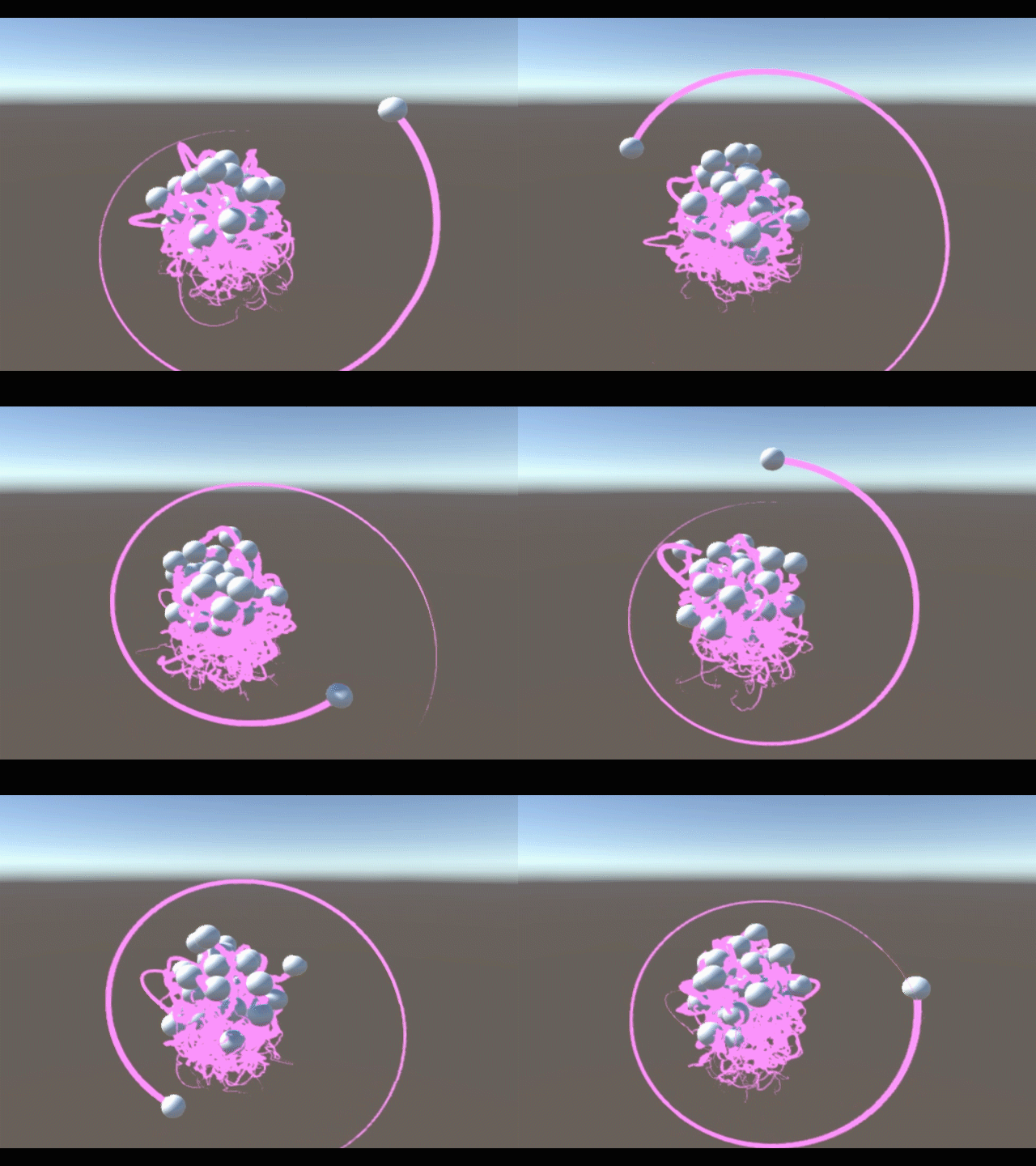
Gravo is a particle simulation in Unity3D. It’s name is a play on the word gravity and the word o. The entire Gravo world consists of a template sphere with one script. This script gives the sphere a random position and velocity, and then registers itself with the SphereManager, a script attached to a nearby cube. When I click, a script on the camera instantiates this sphere.

The SphereManager is responsible for all forces acting on the spheres. it loops through each of them and applies a force towards each of the others. it will reuse these calculations to apply an opposite force on the others, so that they have fewer calculations to do when it’s their turn. Each sphere in the array will only act on spheres of a higher index.

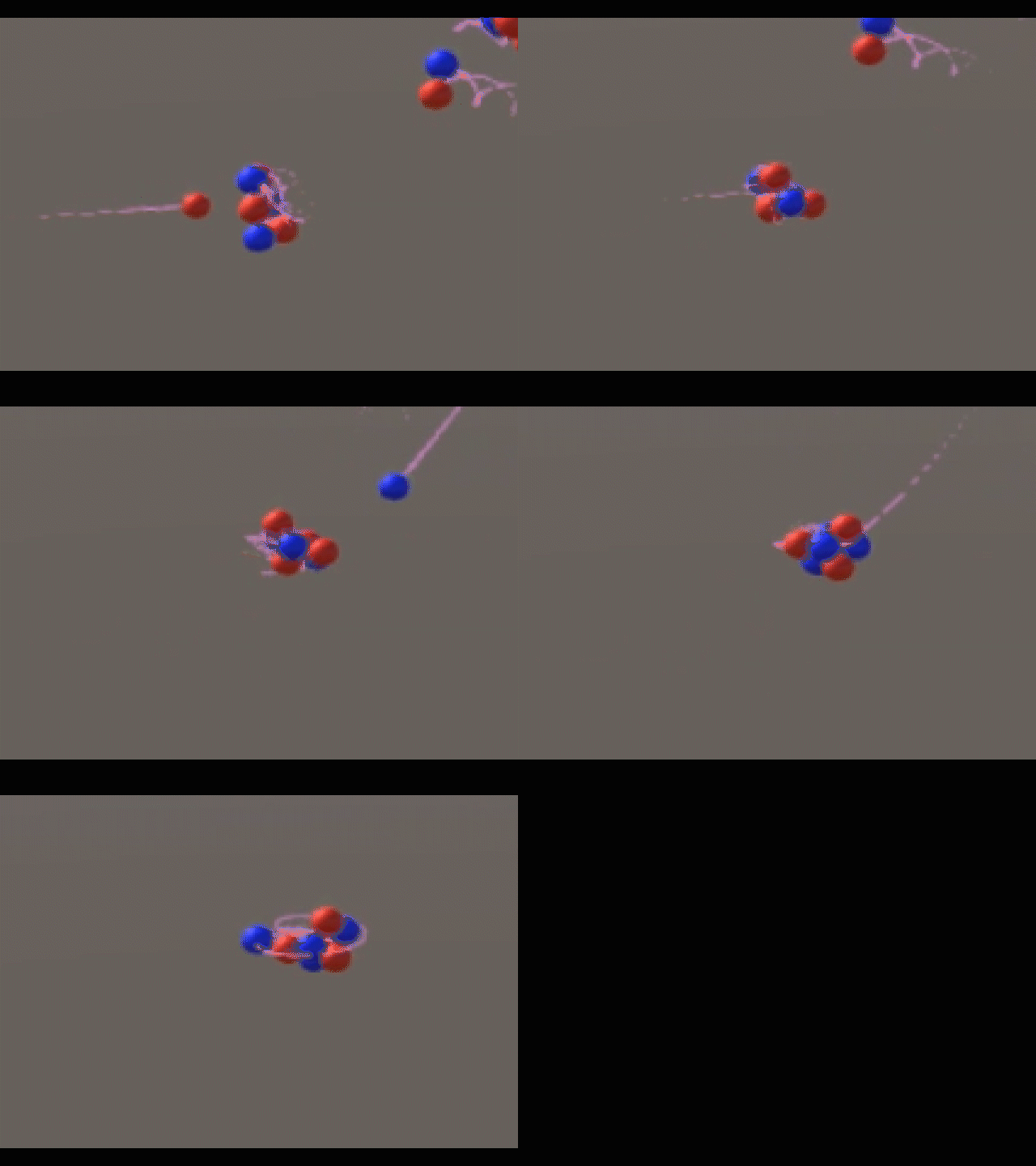
On the trip back, I wanted to model the atom, so I implemented particles of positive and negative charges. At first, they modeled molecules better:
redblue-s

But I wanted to model the atom. So I added neutrally charged particles and colored them yellow. I wasn’t sure how the nucleus of an atom was held together, so I just added a powerful attractive force between the protons and the neutrons until I could do some real research.

Here are some electrons orbiting a positive nucleus:
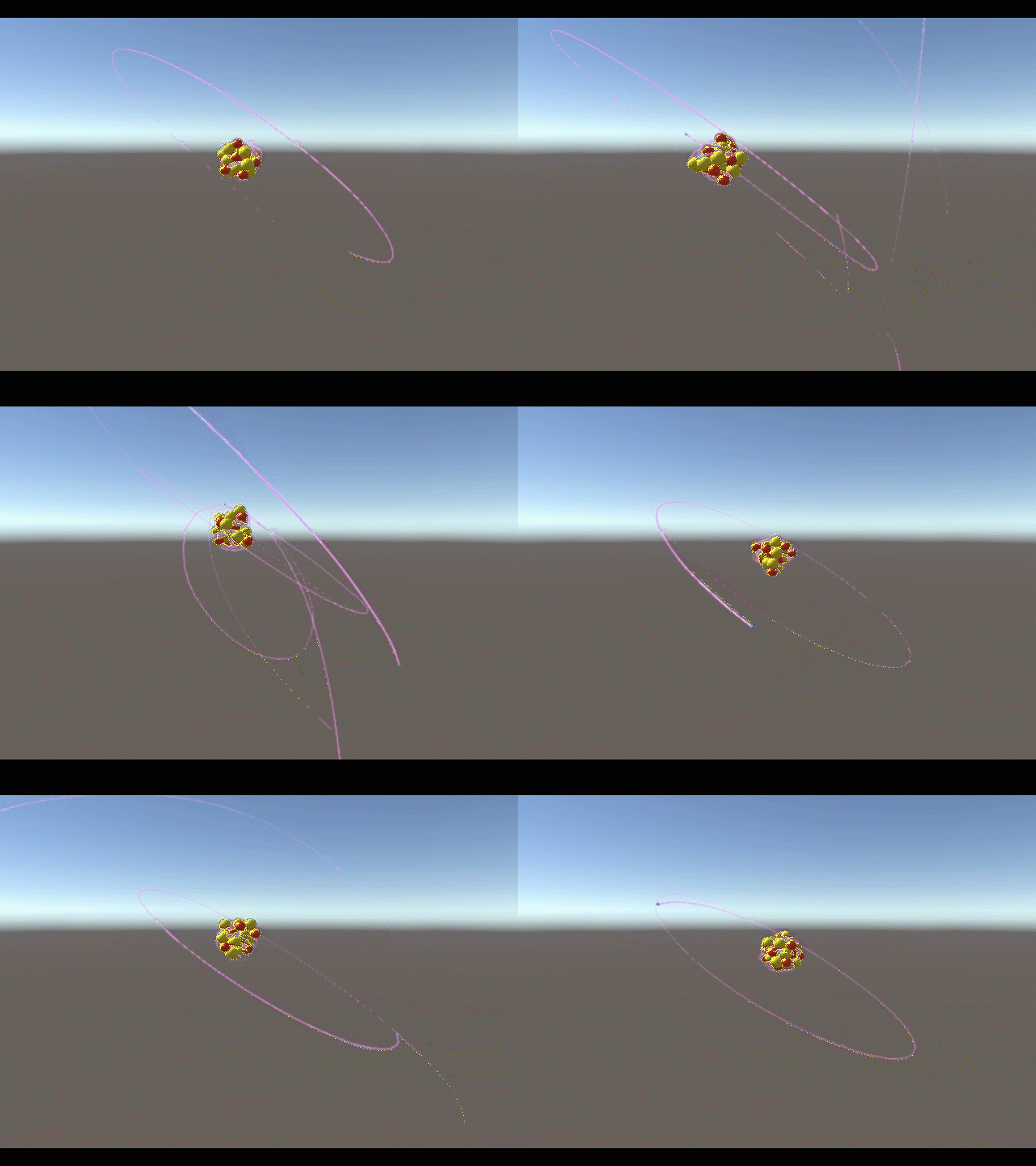
orbit-s

As soon as I added a third type of particle, I realized it was inefficient to keep asking the SphereBrain scripts what the charge of the particle was every single frame. I also didn’t want a parallel array. So my SphereManager, as it stands now, inserts a particle into the array based on its charge, and later uses its index to get the charge without asking the particle’s script.

using UnityEngine;
using System.Collections;

public class SphereManagerScript : MonoBehaviour {

    public ArrayList spheres = new ArrayList();
    public int protonCount;
    public int electronCount;
    public int neutronCount;

    // Use this for initialization
    void Start () {

    }

    // Update is called once per frame
    void Update () {
        GameObject a;
        GameObject b; //the two objects to interact
        int aCharge;
        int bCharge; //their charges
        float dist; //the distance between them
        Vector3 dir; //the direction from the second to the first
        Vector3 force; //the force that will act on them both
        for (int i = 0; i + 1 < spheres.Count; i++) {
            a = ((GameObject) spheres[i]); //select a
            aCharge = (i  protonCount + electronCount)? -1 : 0); //determine a's charge based on its index
            for (int j = 1; i + j < spheres.Count; j++) {
                b = ((GameObject) spheres[i+j]); //select b
                bCharge = (i+j  protonCount + electronCount)? -1 : 0); //determine b's charge based on its index
                dist = Vector3.Distance(a.transform.position, b.transform.position);
                dir = (a.transform.position - b.transform.position).normalized;
                force = ((-128f * aCharge * bCharge) + ((aCharge+bCharge==1)? 128f : 0.0f)) * dir / (-dist * dist); //calculate final force
                a.GetComponent().AddForce(force);
                b.GetComponent().AddForce(-force);
            }
            this.gameObject.transform.position = Vector3.Lerp(this.gameObject.transform.position, a.transform.position, 0.1f); //move this invisible cube (which also carries the camera) nearer to the current sphere, to smoothly follow the group
        }
        for (int i = 0; i  36) { recall(a); }
        }
    }

    public void register(GameObject toRegister) { //method to register a sphere for physics calculations. the spheres call this method when they are created.
        int charge = toRegister.GetComponent().charge; //you only need to check this once, the position in the array will be used to determine the charge from now on.
        if (charge == 1) {
            spheres.Insert(0, toRegister); //put it at the start of the proton section (index 0)
            protonCount++;
        } else if (charge == -1) {
            spheres.Insert(protonCount, toRegister); //put it at the start of the electron section
            electronCount++;
        } else if (charge == 0) {
            spheres.Insert(protonCount+electronCount, toRegister); //put it at the start of the neutron section
            neutronCount++;
        }
    }

    public void recall (GameObject toRecall) { //method for handling particles that get too far away (it kills them)
        int charge = toRecall.GetComponent().charge;
        if (charge == -1) { electronCount--; } else if (charge == 1) { protonCount--; } else if (charge == 0) { neutronCount--; }
        spheres.Remove(toRecall); Destroy(toRecall); //unregister and destroy
    }
}

using UnityEngine;
using System.Collections;

public class SphereBrain : MonoBehaviour {

    public int charge = 0;
    //string type;
    // Use this for initialization
    void Start () {
        GameObject sphereMgr = GameObject.FindGameObjectWithTag("SphereManagerTag");
        this.gameObject.transform.position = sphereMgr.transform.position + new Vector3((Random.value) * 15.0f, (Random.value-0.5f) * 15f, (Random.value-0.5f) * 15.0f);
        this.gameObject.GetComponent().velocity = (new Vector3((Random.value-0.5f) * 1f, (Random.value-0.5f) * 1f, (Random.value-0.5f) * 1f));

        recolor();
        sphereMgr.GetComponent().register(this.gameObject);
    }

    void recolor () { //handles the changing of all properties, not just color.
        this.gameObject.GetComponent().material.SetColor("_Color", (charge > 0)? Color.red : ((charge < 0)? Color.blue : Color.yellow));
        if (charge == 0) {
            this.gameObject.GetComponent().mass = 1.05f;
            this.gameObject.GetComponent().localScale = 1.2f * Vector3.one;
        } else if (charge == -1) {
            this.gameObject.GetComponent().mass = 0.05f;
            this.gameObject.GetComponent().localScale = 0.2f * Vector3.one;
            this.gameObject.transform.position = new Vector3(this.gameObject.transform.position.x -15, 0, this.gameObject.transform.position.z);
            //this.gameObject.GetComponent().AddForce(Vector3.up * 50); //specifically for helpng build atoms
        }
    }
	
    // Update is called once per frame
    void Update () {}
}


This code still has a problem I haven’t worked out yet. I’m not unregistering spheres properly, and I think the neutrons are becoming protons when they shift left in the array:
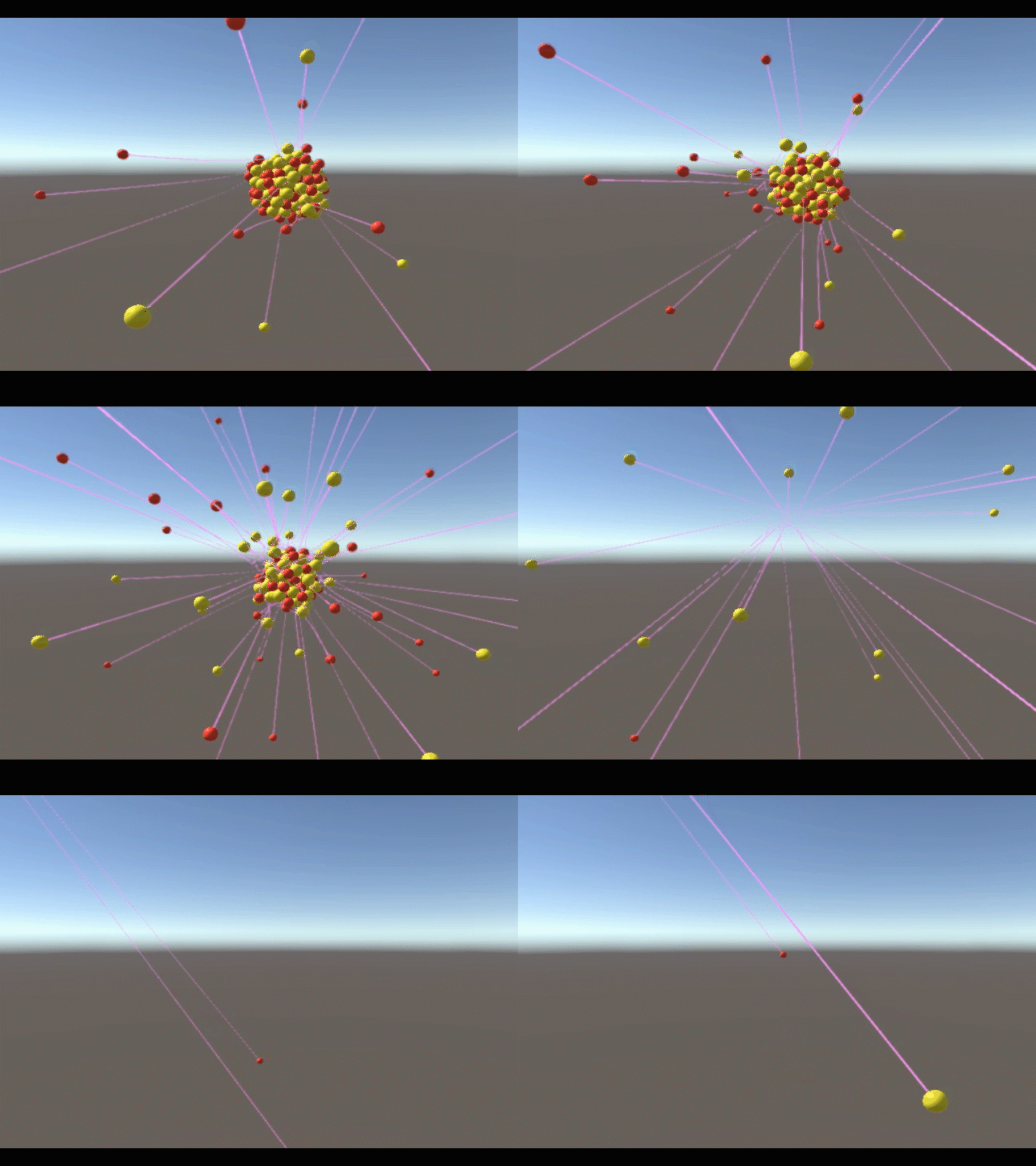
unstable5

I’m looking forward to refining it.

Teal

I’m making significant progress on a game called Teal, which I’m creating in Unity3D. It started last year in Interactive Media… with a simple assignment to create a terrain object and give it various rock textures. I knew right away that mine was an asteroid.

Later, our teacher asked us to make it into a playable game using some of the default scripts. There were 2 people in the class with prior knowledge of Unity C# scripting, and I was one of them. So we had some original scripts in our games…

Soon, I’ll clean the project up and start releasing footage and code. For now, here’s an original composition I made with Mulab.

Reducing signal noise

Last Sunday, I walked into a restaurant thinking about how to embed a watch screen in the back of your hand. Specifically, how to inject yourself with luminescent ink and light up different areas of ink by sending currents through your skin.

I imagined that they could be powered from beneath the skin by small beads with little oscillators in them – that would amplify a signal at the proper frequency. That wasn’t what I was focused on at the time. But I immediately realized that if the signals were interpreted so loosely, even the bars that were supposed to be dark might be dimly lit by the noise of all the others.

My goal in this project is to reduce the maximum number of simultaneous signals to display any digit. The signals will be the power source, and no logic gates of any kind can be used.

Now the simplest design would be one in which there was a frequency for each bar of each digit, totaling 28 for the entire watch face. assume the colon has no signal.

 _   _     _   _
|_| |_| * |_| |_|
|_| |_| * |_| |_|

I immediately started looking for repeatedly used selections of bars. I could then give each of those bars a detector for the signal that lights up the group, alongside their detectors which tell them to light up individually.

In my first experiment, I isolated groups of:
-the two on the right (used in 0, 1, 3, 4, 7, 8, and 9)
-the two on the left (used in 0, 6, 8, and 9)
-the three in the middle (used in 2, 3, 5, 6, 8, and 9)

basis:  _       _   _       _   _   _   _   _
    :  | |   |  _|  _| |_| |_  |_    | |_| |_|
    :  |_|   | |_   _|   |  _| |_|   | |_|  _|
 _  :   _       _   _           _   _   _   _
|_  :  |        _|  _  |_  |   |_      |_  |_
|_  :  |_      |_   _        | |_|     |_   _
 _  :   _       _   _           _   _   _   _
 _| :           _|  _  |_  |    _       _  |_
 _| :   _      |_   _        |  _|      _   _
    :   _                           _
| | :            |     |_  |               |
| | :   _      |             |   |
bottom implies top
thus
    :                               _
    :            |     |_  |               |
    :   _      |             |   |
    :   3   1   2   2   3   3   3   2   3   3
max of 3 signals active at once
2 detectors per bar
10 signal types total
sum of 25 signals to display all digits

The shapes on the left indicate which part has been isolated.
The numbers then summarize how many signals were necessary to create the digit. They are the sum of the number of group-signals used and the number of individual bars that remain.

Then I noticed several places where the bottom left and top right / top left and bottom right were being used together, and I tried it again, this time starting out with those groups.

basis:  _       _   _       _   _   _   _   _
    :  | |   |  _|  _| |_| |_  |_    | |_| |_|
    :  |_|   | |_   _|   |  _| |_|   | |_|  _|
 _  :   _       _   _       _   _   _   _   _
 _| :    |   |  _|  _|  _|  _   _    |  _|  _|
|_  :  |_    | |_   _|      _  |_    | |_   _
 _  :   _       _   _       _   _   _   _   _
|_  :        |  _   _|  _|  _   _    |  _   _|
 _| :   _    |  _   _|      _  |_    |  _   _
    :   _                           _
| | :        |       |  _|           |       |
| | :   _    |       |         |     |
 _  :   _                           _
|_  :                   _|                   |
|_  :   _                      |
bottom implies top
thus
    :                               _
    :                   _|                   |
    :   _                      |
    :   3   1   2   2   3   2   3   2   3   3
max of 3 signals active at once
2 or 3 detectors per bar
10 signal types total
sum of 24 signals to display all digits

This time I left out the group of the left two, because they weren’t necessary. I still have 10 unique frequencies, because while I added two new groups, there are now two bars that I never need to address individually. But I only managed to reduce the number of signals for the digit 5, and I added an extra detector to all of the vertical bars. My goal is still to reduce the charge in bars that aren’t supposed to be glowing, and increasing the number of frequencies they’re listening for is going to do more harm than good.

I wanted to start over and get an even better outcome, so I sectioned off part of my text document and started making observations.

=============================
        _       _   _       _   _   _   _   _
       | |   |  _|  _| |_| |_  |_    | |_| |_|
       |_|   | |_   _|   |  _| |_|   | |_|  _|
notes:
top left implies middle whenever not bottom left
bottom implies top always
top implies bottom except for in 7
bottom left implies top right except (when top left : once, in 6).
top left implies bottom left except (when bottom right : thrice, in 4, 5, and 9).
=============================

I don’t know why it took me so long… but after watching myself make a list of simple observations, I finally realized that I needed to write an algorithm. probably in python.

I haven’t written that algorithm, because I suddenly became very distracted. could this be used to compress things?

*Gasp*

It is identifying samples by their common traits. I can probably do that with sound. The first common trait between samples of audio that pops into my head is their closeness to the average of the last n samples. Instead of identifying a 16 bit number with 16 bits, it could be identified by 4 nibbles with unique purposes:
-The first represents the closeness of the sample to the average of the last 256 samples, i.e. the weight of that average in a mean which determines the sample.
-The second represents the closeness of the sample to the average of the last 1024 samples.
-The third represents the closeness of the sample to the average of the last 4096 samples.
-The fourth represents an offset, in case the first 3 can’t come close to representing the new sample.

Obviously, this set of specialized nibbles is just as large as the 16 bit integer they represent. But they don’t need to be saved. They could just be incremented and decremented, maybe even in turn. In my mind this could result in 2 different systems:

-The simple one, which multiplies the 3 averages by their respective nibbles, adds them together, divides by 48, and adds the offset.

-One in which the decoder is very smart. It rounds numbers intelligently to make sure that every change has an immediate result, and that almost any sample can suddenly be represented even if it doesn’t follow the pattern. For instance, if the 4096-sample average was very close to zero, giving it a weight between 0 and 15 would barely impact what the sample was calculated to be. In this case the nibble representing the weight wouldn’t want to indicate a weight that was linearly related to the value of the nibble… each of the nibble’s 16 values will instead indicate weights at which the 4096-sample average has a large impact.
A weight of 16 doesn’t mean to multiply this 4096-sample average by 16 when finding the mean. 16 is the MAXIMUM. 16 means “multiply this 4096-sample average by the largest possible coefficient that won’t cause the sample to clip after finding the mean and adding the offset”
The value of the nibble will literally indicate the distance between 1 and this largest possible coefficient. Or perhaps the square root of the distance.

The systems could also be mixed.

MCIT is cool

Last year in Interactive Media, one of our assignments was to create 3 posters to advertise the McKenzie Center in Lawrence Township. Everything from finding the images to figuring out what to say besides “It’s a good school, I like it here, we do engineering.”

jd_mcitposter3-adjusted-alt-copy

jd_mcitposter2embedminmin2b-copy

jd_mcitposter1ext-copy2

The only picture I was able to find of Bernie’s Place was a very small jpeg from the school website, which I de-blocked and burned. (The difference can be seen between the third and second poster)

I took the pictures for Interactive Media and Collision Repair myself.


Assignment: My name in 3D

Made using Cinema4D on September 9th, 2016.

Our teacher asked us to make a video revealing our names from left to right, with a moving spotlight and a moving camera, in front of a checkered floor and a starry sky, with swishes and squiggles behind the text, that was exactly 90 frames long.

I felt it was so regulated as to not allow much creativity. But then I got over it.

We also collectively bargained with him to increase the time limit, and he agreed. It wouldn’t have worked if 3 or 4 of us didn’t already have projects that were too long.